 Swipelio · iPhone · iPad
Swipe to delete photos.
Keep the ones that matter.
Swipelio turns cleaning your photo library into a quick daily habit: swipe left to delete, right to keep. It spots duplicate and similar shots as you go, shows how much space you'll free, and lets you review everything before it's gone. Free on iPhone and iPad.

See it in action
A photo cleaner that feels like a game.
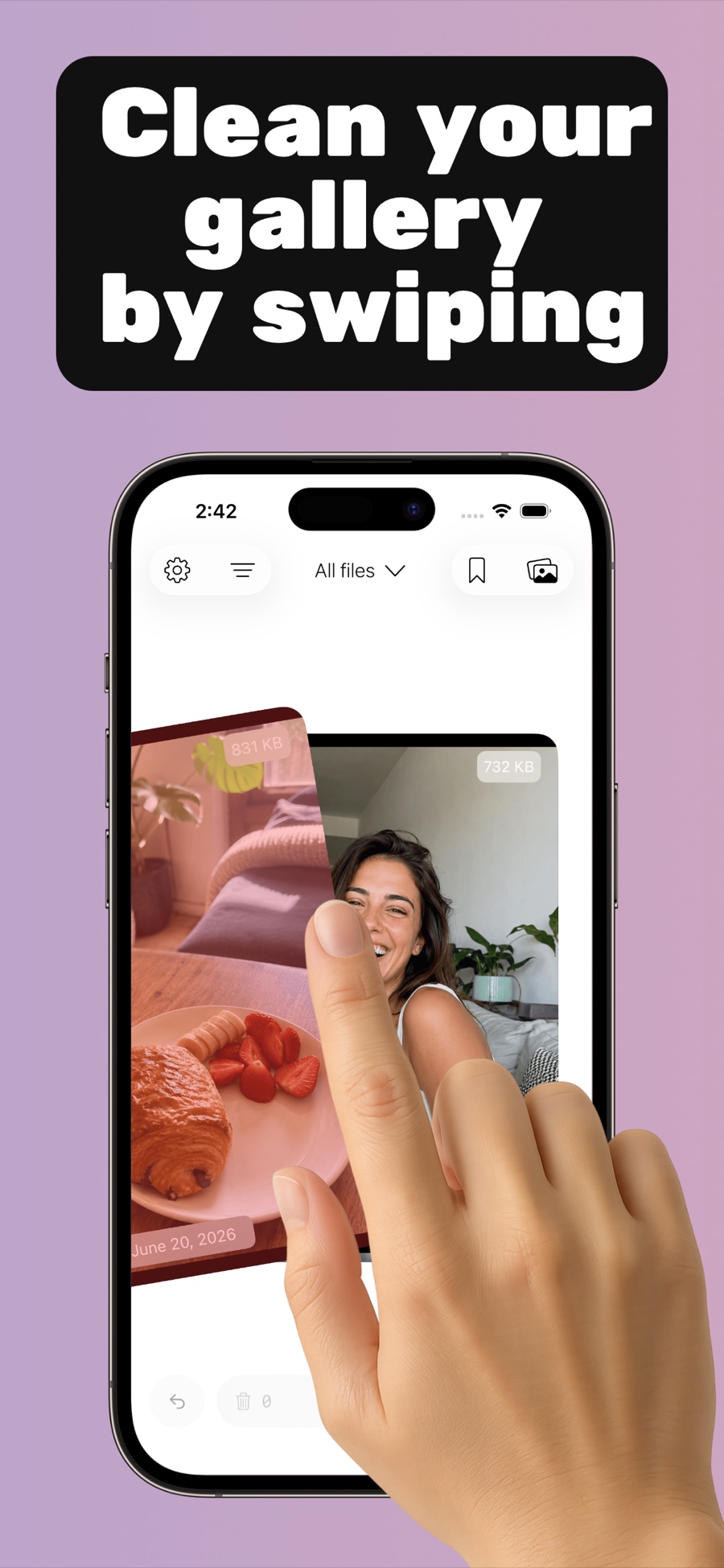
Clean your gallery by swiping
One card per photo, file size on top. Left deletes, right keeps.
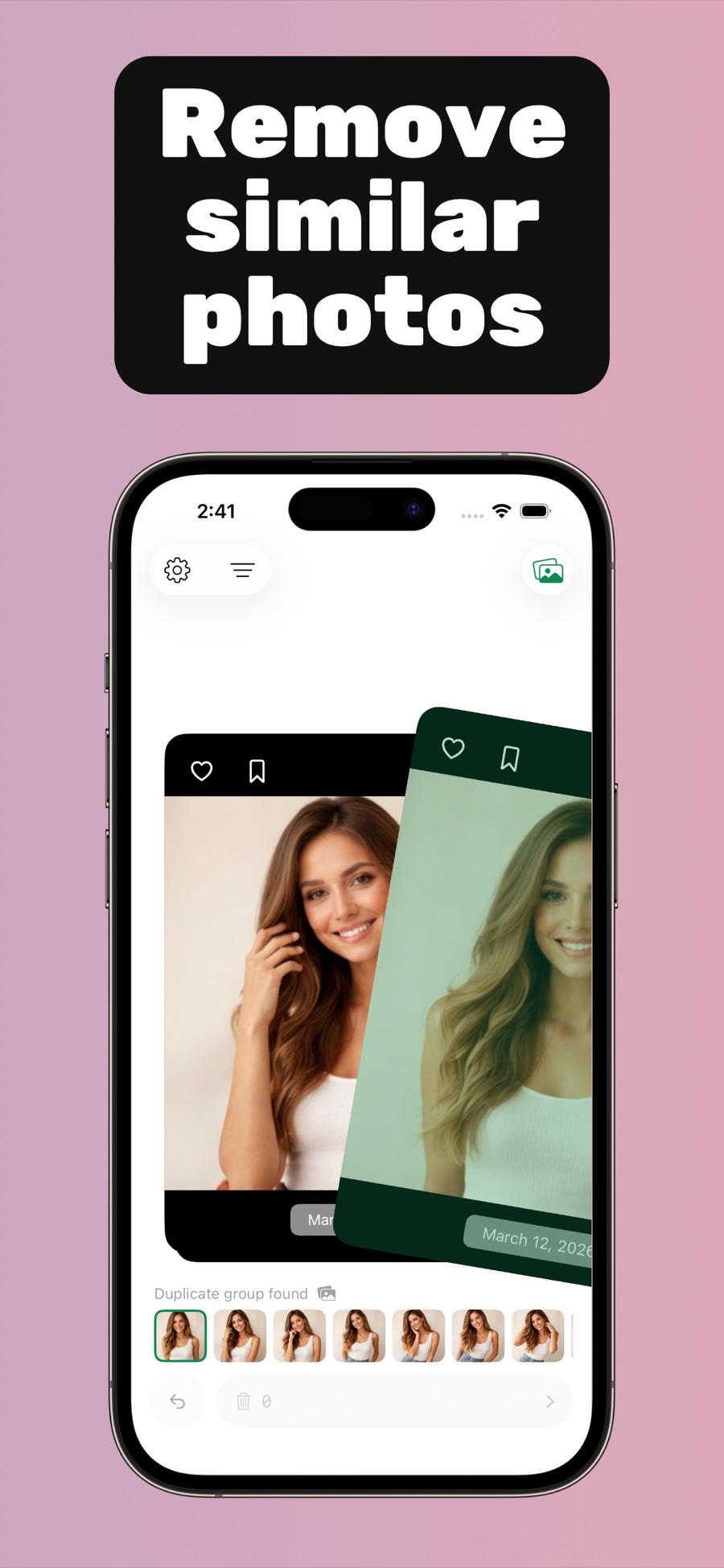
Remove similar photos
Duplicates and near-identical shots are grouped as you swipe.
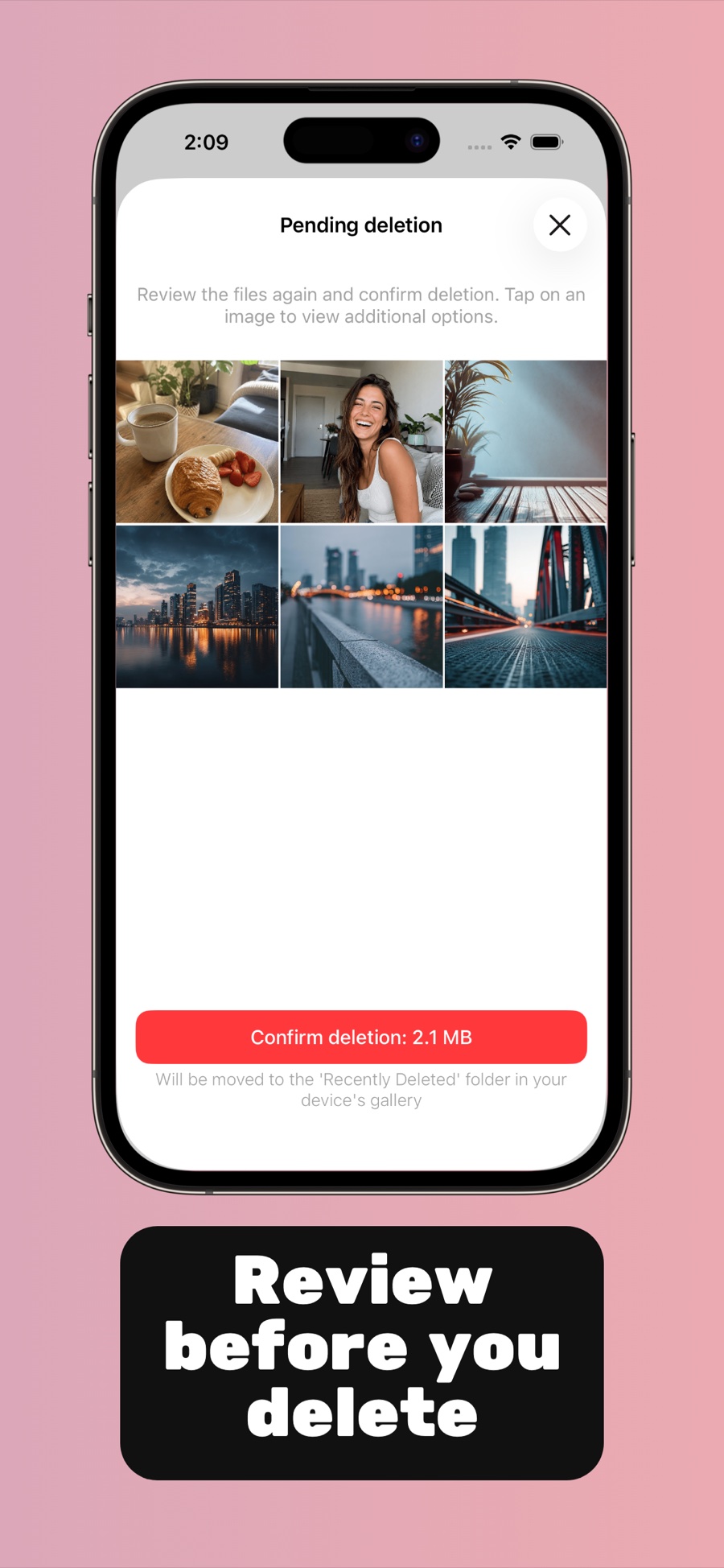
Review before you delete
Confirm the queue and see exactly how much space you free.
How it works
Three steps to a lighter camera roll.
No bulk-select taps, no endless grids — just one photo at a time.
Pick an album — or the whole library
Open Swipelio and choose what to clean: Recents, Screenshots, any album, or every photo and video you have. Basic sorting helps you start where the clutter is.
Swipe left to delete, right to keep
Each photo appears as a card with its file size. Swipe away the blurry shots and old screenshots; Swipelio detects similar photos as you go and queues them too. Your progress is saved between sessions.
Review the queue and confirm
Nothing is deleted until you say so. Check the pending-deletion list, see the total space you'll free, and confirm. Deleted items sit in your iPhone's Recently Deleted folder for 30 days, so there's always a way back.
Swipelio works with the photo library on your device. Photos are never uploaded anywhere — cleaning happens entirely on your iPhone or iPad.
What you can do
One little app for a cleaner photo library
Delete photos fast, clear out duplicates, and free up iPhone storage — without uploading anything anywhere.
Free up storage on your iPhone
Photos and videos are usually the biggest thing on an iPhone. Swipelio shows the file size of every photo while you swipe and adds it all up before you confirm — so you know exactly how many megabytes you're getting back. A few minutes of swiping is often worth gigabytes of space, with no need to delete apps or buy more iCloud storage.
Remove duplicate and similar photos
Ten near-identical shots of the same sunset? Swipelio finds duplicate and similar photos while you swipe and can group them so you keep the best one and drop the rest. It also catches photos that are similar but not byte-for-byte identical — the kind the built-in Duplicates album doesn't see.
Clean up your camera roll in minutes a day
Swiping through photos is faster than tap-selecting them in a grid — and honestly, more fun. Open Swipelio in a spare moment, clear a hundred photos while your coffee brews, and pick up where you left off next time. Progress is saved automatically, album by album.
Delete photos and videos safely
Every swipe goes into a pending-deletion queue, not straight to the trash — you review the whole list and confirm before anything is removed. Accidentally deleted the wrong one? Restore it with one tap, or pull it back from your iPhone's Recently Deleted folder within 30 days.
Blog
Short answers to real photo-cleanup questions.
How-to guides for the things people actually search for — each one solvable with a few swipes.
How to delete photos fast on iPhone
Why bulk-selecting in Photos is slow, and how to mass-delete hundreds of photos in minutes by swiping.
Read the guideSwipe to delete photos: how swipe photo cleaners work
What a swipe photo cleaner app is, why the left/right gesture works so well, and how Swipelio does it.
Read the guideHow to delete duplicate photos on iPhone
Find and remove duplicate and similar photos — including the near-identical shots iOS doesn't flag.
Read the guideFree up iPhone storage by cleaning your photo library
iPhone storage full? What actually helps, why photos still take space after deleting, and how to win it back.
Read the guideHow to clean up your camera roll
A simple album-by-album routine to declutter years of photos without losing the ones you love.
Read the guideHow to recover accidentally deleted photos on iPhone
Undo a wrong swipe, use Recently Deleted, and understand the 30-day window — honestly explained.
Read the guideHow to delete screenshots on iPhone
Screenshots pile up fast. Clear the whole Screenshots album in one short swiping session.
Read the guideFrequently asked questions
How do I delete photos faster on my iPhone?
What is a swipe photo cleaner app?
How do I remove duplicate photos on my iPhone?
How can I free up storage on my iPhone without deleting apps?
What's the best way to clean up years of camera roll clutter?
What if I delete a photo by accident?
Can I quickly delete all my old screenshots?
Does Swipelio work with videos and Live Photos?
Is Swipelio free, and what happens to my photos?
Your camera roll, lighter.
A free, fast photo cleaner for iPhone and iPad. Swipe a little every day — keep only the photos you love.
